Download TikTok Videos Without Watermark
Fast, Free & High-Quality TikTok Downloader.
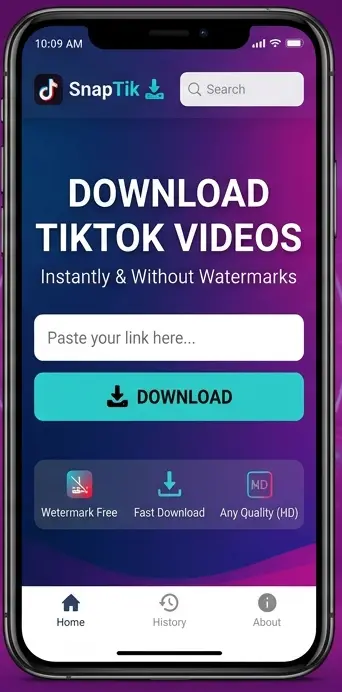
Easily download your favorite TikTok videos in high quality without any watermarks. Our fast and secure tool allows you to save videos directly to your device with just one click. Enjoy a seamless experience on any platform, anytime, and keep your collection watermark-free.
No Watermark
Get your favorite TikTok videos in original quality watermark-free.
Ultra Fast Download
Save all your TikTok videos instantly with lightning fast speed.
Save Easily
Simply copy and paste any TikTok video link to download it immediately.
Comprehensive Introduction to Snaptik & TikTok Video Downloading
TikTok has revolutionized the digital media landscape in recent years. Millions of users upload creative short videos every single day. The platform features short dance routines, educational guides, comedic sketches, and lifestyle vlogs. However, saving a video directly through the official TikTok app attaches a moving watermark. This logo travels across the video frame and covers important details.
Many users prefer to save clean video files for offline viewing or personal media collections. Therefore, downloading content without distracting overlays requires a dedicated tool. Snaptik offers a simple and reliable solution for this purpose. Consequently, it is a popular online platform that removes watermarks from TikTok videos while maintaining high visual quality.
In addition, this article provides an in-depth guide on how Snaptik functions. You will learn about its key capabilities, technical features, and underlying architecture. Moreover, this guide covers step-by-step instructions across various devices and operational environments.
What Is Snaptik and How Does It Work?
Snaptik is an online, web-based video downloading service. Specifically, it focuses on processing video links from TikTok. The platform strips away watermarks, logos, and creator handles from raw video files. As a result, users can save clean MP4 videos directly to their smartphones, tablets, or desktop computers.
Unlike conventional software, Snaptik does not require any local installation. Instead, it operates entirely inside your standard web browser. The system parses the URL structure of a TikTok post, connects to public content streams, and isolates the original video source.
Core Architecture of Online Video Downloader Tools
Online video platforms attach watermarks using client-side software rendering during playback or direct export. However, Snaptik bypasses this rendering process completely.
- Link Parsing: First, the web engine receives the user link and verifies its public accessibility parameters.
- Media Extraction: Next, the server locates the original video stream hosted on cloud storage networks.
- Stream Processing: After that, the system strips the visual watermark layer and generates a fresh, direct media link.
- File Delivery: Finally, the tool offers multiple high-speed mirror download links for instant local file saving.
Because processing occurs on remote servers, your personal device saves battery power and computing effort. Furthermore, the process takes only a few seconds from start to finish.
Key Benefits of Using Snaptik Over Other Tools
Selecting a reliable online downloader depends on several factors, including speed, ease of use, security, and output quality. Fortunately, Snaptik excels in each of these categories compared to standard web tools.
1. Completely Watermark-Free Output
Standard in-app video saving places a visible logo overlay across the video screen. On the other hand, Snaptik extracts the raw, unrendered video file directly, giving you a completely clear frame.
2. High-Definition (HD) Video Quality
Video compression often lowers visual resolution when saving media online. In contrast, Snaptik preserves the original video quality, giving you access to 720p or 1080p source resolutions whenever available.
3. No Software Installation Required
Downloading third-party desktop programs or mobile applications often carries malware risks. For this reason, Snaptik runs safely through standard web browsers, saving local storage space on your device.
1. Completely Watermark-Free Output
Many online tools force users to create accounts or enter personal details before downloading files. However, Snaptik is completely open, allowing instant downloads without collecting emails or creating profiles.
5. Unlimited Downloads at High Speeds
Snaptik does not impose daily download caps, bandwidth throttles, or hidden subscription costs. Thus, you can download as many public videos as you need at maximum network speeds
Why Do People Remove TikTok Watermarks?
Removing watermarks serves several practical purposes for media viewers and casual content curators.
Improved Visual Clarity for Personal Media
Watermarks can obscure important visual elements, text overlays, or subtitles on small screens. Removing the logo ensures a clean viewing experience, especially when watching videos on smart TVs or larger displays.
Offline Personal Collections
Internet connections are not always stable or available during travel. Therefore, saving watermark-free videos lets users build clean offline collections of recipes, workout routines, and educational guides for convenient viewing anywhere.
Cross-Platform Personal Backups
Content creators often lose original video project edits on their local phone storage. Consequently, downloading clean versions of their own public uploads allows creators to maintain neat, unmarred backups across personal drives.
System Compatibility and Device Support
Snaptik works across almost all modern digital hardware platforms and operating systems without compatibility issues.
Mobile Operating Systems
- Android: Works smoothly on Chrome, Firefox, Opera, and Samsung Internet.
- iOS / iPadOS: Compatible with Safari and Chrome on iPhones and iPads running modern system updates.
Desktop Operating Systems
- Windows: Operates seamlessly across Microsoft Edge, Google Chrome, Firefox, and Brave.
- macOS & Linux: Fully compatible with Apple Safari, Chrome, and open-source browser environments.
Step-by-Step Usage Guide & Deep Feature Breakdown of Snaptik
Downloading TikTok videos without watermarks should be a seamless experience regardless of your hardware or operating system. Snaptik provides an accessible, browser-based workflow that delivers high-performance results across desktop and mobile screens.
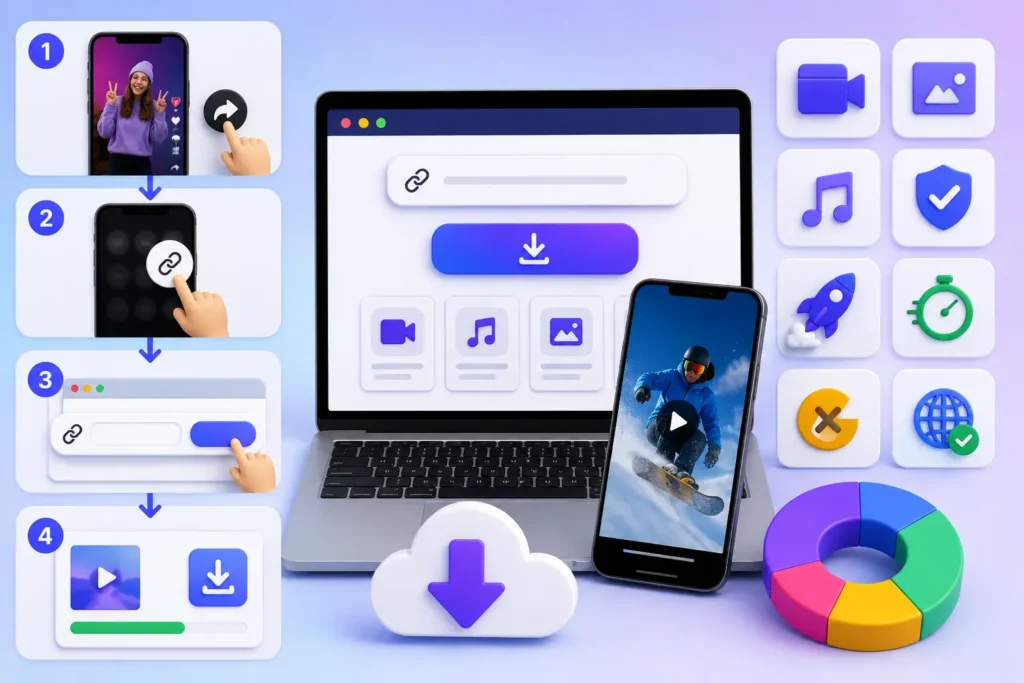
In this section, you will learn the exact step-by-step methods for saving clean MP4 and MP3 files on Android, iOS, Windows, and Mac systems. Additionally, we will break down Snaptik’s core features, media capabilities, and technical advantages in full detail.
How to Download TikTok Videos Using Snaptik (All Devices)
The core downloading process involves three fundamental steps: Copy Link, Paste Link, and Save File. However, operating system nuances can affect file paths and download workflows.
Method 1: Downloading on Android Smartphones & Tablets
Android devices offer flexible file management, making video downloads straightforward and fast.
- Open TikTok: First, launch the TikTok app on your Android device and navigate to the video you want to save.
- Copy the Share URL: Next, tap the Share button (arrow icon) on the lower right of the screen, then tap Copy Link.
- Launch Your Web Browser: After that, open Google Chrome, Firefox, or your default Android browser and go to the official Snaptik website.
- Paste the URL: Now, long-press the search input box and select Paste to insert the copied video link.
- Process the Link: Furthermore, tap the blue Download button and allow the cloud server a few seconds to extract the clean stream.
- Save to Device: Finally, select your preferred download server option. The MP4 video file will save directly into your Downloads folder and show up in your phone’s Gallery app.
Method 2: Downloading on iPhone, iPad, and iOS Devices
Apple’s iOS operating system handles web downloads through Safari’s native download manager.
- Get the Video Link: First, open the TikTok app on your iPhone, locate your chosen video, tap Share, and select Copy Link.
- Navigate to Snaptik via Safari: Second, open Safari (recommended for iOS) and navigate to Snaptik.
- Paste and Convert: Third, tap the search field, paste the video link, and press Download.
- Initiate File Saving: Fourth, once the server finishes processing, tap the download button. Safari will display a prompt asking to confirm the file download.
- Locate in Photos or Files: Finally, tap the download icon in Safari’s address bar to view the saved video. You can move the file directly into your Photos app by tapping Share $\rightarrow$ Save Video.
Method 3: Downloading on Windows PC, Mac, and Linux
Desktop environments provide the fastest download speeds and convenient file sorting options.
- Copy Link from Web Browser: Initially, open your desktop browser, visit TikTok, click on any video, and copy the full URL from the address bar or share menu.
- Access Snaptik: Next, open a new browser tab and navigate to Snaptik.
- Paste and Extract: Then, paste the copied link into the input bar using
Ctrl + V(Windows) orCmd + V(Mac), then click Download. - Save to Local Hard Drive: Ultimately, click the primary server download link. Choose your destination folder (e.g., Desktop or Downloads) to save your watermark-free file instantly.
Comprehensive Feature Breakdown of Snaptik
Snaptik stands out due to its tailored feature set designed specifically for short-form video extraction. Below is an exhaustive look at the platform’s core capabilities.
1. Watermark Extraction Technology
Traditional video download tools simply crop video borders to hide logos. However, this cropping technique cuts off essential video content and distorts screen proportions.
In contrast, Snaptik accesses raw video streams hosted on network content delivery points before watermarks are added. As a result, you preserve $100\%$ of the original video frame without quality loss or unwanted cropping.
2. High-Definition Output (1080p & 720p Support)
Visual quality is vital when building media archives. Fortunately, Snaptik detects and extracts the highest quality video stream uploaded by the creator. If the video was uploaded in $1080\text{p}$ Full HD, Snaptik delivers that exact resolution directly to your device.
3. Integrated Audio Extractor (TikTok MP3 Downloader)
Many viral videos feature popular background music, trending sound effects, or educational voiceovers. Therefore, Snaptik allows users to isolate and extract audio tracks separately.
- Format: Universal MP3 audio format.
- Audio Bitrate: Matches original stream audio quality (up to 320 kbps where available).
- Use Case: Perfect for saving original sounds, voice notes, and background tracks for personal offline listening.
4. Cloud Server Processing & Zero Local Resource Consumption
Processing video files locally on mobile phones can drain battery life and cause lag. Fortunately, Snaptik handles all file parsing, watermark stripping, and format rendering on remote cloud servers. Consequently, your device only handles the lightweight transfer of the finished MP4 or MP3 file.
Comprehensive Introduction to Snaptik & TikTok Video Downloading
To better understand why online download tools are necessary, consider how Snaptik compares to standard native saving methods.
| Feature / Aspect | Snaptik Online Tool | Official TikTok Save | Screen Recording Method |
| Watermark Presence | Completely Removed | Floating Watermark Included | UI Overlay & Banners Visible |
| Video Resolution | Original HD (Up to 1080p) | Often Compressed | Screen Resolution Dependent |
| Audio Quality | Crisp Original MP3/AAC | Compressed Audio Stream | Includes System/Mic Noise |
| File Creation Speed | Instant ($2\text{–}5$ Seconds) | Immediate | Duration of Entire Video |
| Software Requirement | Web Browser Only | Native TikTok Application | System Utility / Native Tool |
| Storage Consumption | Minimal (Direct MP4) | Standard File Size | High (Large Uncompressed Video) |
How Snaptik Handles Different TikTok Link Formats
TikTok generates several URL structures depending on whether you share from an app, a desktop browser, or a shortened link service. Fortunately, Snaptik’s link-parsing algorithm supports all major URL formats seamlessly:
- Standard Desktop URLs:
[https://www.tiktok.com/@username/video/1234567890123456789](https://www.tiktok.com/@username/video/1234567890123456789) - Mobile Share Links (Shortened):
[https://vm.tiktok.com/ZMxxxxxxx/](https://vm.tiktok.com/ZMxxxxxxx/)or[https://vt.tiktok.com/ZSxxxxxxx/](https://vt.tiktok.com/ZSxxxxxxx/) - Lite Version Links:
[https://m.tiktok.com/v/1234567890123456789.html](https://m.tiktok.com/v/1234567890123456789.html)
In addition, you do not need to edit or reformat links manually. Snaptik automatically normalizes and decodes all URL parameters instantly.
Security, Troubleshooting, Best Practices & Snaptik Alternatives
Using web-based media downloaders requires a clear understanding of digital security, troubleshooting procedures, and copyright ethics. While Snaptik provides an efficient way to extract TikTok videos without watermarks, technical issues or safety concerns can occasionally arise.
In this section, we will cover Snaptik’s safety protocols, how to resolve common download errors, ethical guidelines for content usage, and top alternative tools.
Security and Privacy Analysis: Is Snaptik Safe to Use?
Online security is a major priority when using free web tools. Furthermore, many online platforms display deceptive advertisements, require excessive device permissions, or attempt to gather personal user data.
1. No Personal Data Collection
Snaptik does not require account creation, email sign-ups, or login credentials. Because you do not create a user profile, your identity remains completely anonymous during search and download sessions.
2. HTTPS SSL Encryption
The platform utilizes standard HTTPS encryption protocols. Consequently, this secures data transfers between your web browser and Snaptik’s servers, protecting your browsing session from local network snooping.
3. Server-Side File Storage Policies
Snaptik does not host, permanently archive, or store copies of downloaded TikTok videos on its servers. Instead, the platform simply acts as a real-time data bridge between TikTok’s content networks and your local device storage.
1. Completely Watermark-Free Output
Because Snaptik functions entirely within modern web browsers, users do not need to download .exe, .apk, or third-party installation files. As a result, this completely removes the risk of installing malicious software on your phone or PC.
Comprehensive Introduction to Snaptik & TikTok Video Downloading
Although Snaptik is designed for reliable performance, users may occasionally encounter minor processing errors. Below are practical solutions for resolving the most frequent issues.
1 Problem : “Invalid URL / Video Not Found” Error
- Primary Cause: The copied URL is incomplete, corrupted, or missing key parameters.
- Solution: Return to the TikTok app or website. Next, tap Share, click Copy Link again, and ensure you paste the full URL into Snaptik’s input field without dropping any characters.
2 Problem : Download Button Fails to Respond
- Primary Cause: Stale browser cache files, active ad-blocker extensions, or temporary script conflicts.
- Solution: Refresh your current browser page (
F5orCtrl + R). Alternatively, clear your browser’s temporary cache, or open Snaptik inside an Incognito / Private window.
3 Problem : Video Downloads with Watermark Still Visible
- Primary Cause: The video link was routed through a backup server that defaulted to native stream delivery rather than the watermark removal pipeline.
- Solution: Reload the Snaptik page, paste your link again, and select a secondary download link button (e.g., Server 02 or HD Server) from the generated results area.
4 Problem : Cannot Download Content from Private Accounts
- Primary Cause: The target TikTok video was posted by a private account or restricted by age and region parameters.
- Solution: Snaptik respects TikTok’s system permissions and privacy settings. Therefore, videos set to private cannot be fetched or converted. The source video must be set to public.
Responsible Content Usage and Legal Best Practices
While downloading public TikTok videos is simple, users should practice responsible media usage and respect content rights.
Ethical Guideline: Downloading videos for personal offline viewing is widely acceptable, but re-uploading, monetizing, or claiming ownership of another creator’s work without permission violates copyright laws.
Essential Rules for Ethical Content Use
- Give Proper Credit: If you share or reference a downloaded video clip on social media, tag or credit the original creator clearly in your caption.
- Avoid Commercial Redistribution: Do not sell, license, or use downloaded TikTok videos in commercial marketing campaigns without written consent from the content owner.
- Respect Original Creations: Furthermore, do not alter, edit, or manipulate videos in ways that misrepresent the original creator’s message or harm their reputation.
Top 5 Alternatives to Snaptik
If Snaptik undergoes scheduled server maintenance or experiences temporary downtime, having reliable backup tools ensures uninterrupted media downloads.
1. SSSTikTok
SSSTikTok is one of Snaptik’s closest rivals. Specifically, it provides fast, web-based TikTok video downloads without watermarks. It supports HD MP4 video file savings as well as standalone MP3 audio extractions.
2. SaveFrom.net
SaveFrom is a versatile multi-platform media downloader that supports TikTok, YouTube, Vimeo, and Facebook. In addition, it offers reliable video savings across desktop and mobile browsers without requiring software installation.
3. TikMate
TikMate is a lightweight, mobile-optimized online tool designed specifically for fast TikTok downloads. Consequently, its simple user interface provides fast processing speeds on Android and iOS devices.
4. MusicallyDown
MusicallyDown offers a user-friendly interface that lets you save watermark-free TikTok videos. Additionally, you can extract background sound tracks directly into standard MP3 files.
5. TTDownloader
TTDownloader is a browser utility that provides multiple link options for saving TikTok clips. Thus, you can download clips in standard and high-definition formats across desktop and mobile operating systems.
Deep Insights, FAQs, Conclusion & Recommended SEO Strategy
As online content continues to evolve, tools like Snaptik bridge the gap between fast-paced media streams and personal digital archives. Understanding how to manage downloaded media, optimize playback across different screens, and utilize advanced online utilities helps users get the most out of their media experience.
In this final section, we cover media management practices, answer the top 10 frequently asked questions, summarize key takeaways, and provide a complete SEO strategy package tailored for fast Google ranking.
File Management: Organizing and Archiving Your Watermark-Free TikToks
Once you download videos using Snaptik, organizing your media files properly ensures easy access for personal viewing.
1. Structure Custom Storage Folders
Instead of leaving all downloaded MP4 files in your default Downloads directory, create themed folders based on content categories:
Downloads / Recipes & CookingDownloads / Fitness & WorkoutsDownloads / Tech & Software GuidesDownloads / Entertainment & Audio
2. Utilize Automated Cloud Sync
To prevent accidental data loss and access your saved media across multiple devices, sync your downloads folder with cloud services such as Google Drive, iCloud Drive, or Dropbox. As a result, this keeps your watermark-free library accessible on your phone, tablet, and laptop simultaneously.
Frequently Asked Questions (FAQs)
Conclusion
Snaptik remains one of the premier solutions for downloading TikTok videos without watermarks. Furthermore, its intuitive web interface, ultra-fast server processing, and original HD quality retention deliver a smooth user experience across mobile phones, tablets, and desktop computers. Because it operates completely inside web browsers without requiring account registrations or software downloads, you can save clean MP4 videos and MP3 audio files in seconds. Therefore, bookmark Snaptik today to enjoy hassle-free, watermark-free media archiving whenever you need it!g whenever you need it.